
NAT or Readdress? The OT Network Decision That Shapes Your Plant for the Next Decade [Guide]
A new machine arrives with the builder's addressing scheme, and the plant has to renumber every device or put a NAT device in front of the panel. This is that decision, costed in licences, warranty, traffic and laptops, from a plant with a 1783-NATR in nearly every machine.
Watch
Read the article
Industrial NAT or Readdress? How to Decide When a New Machine Arrives
Industrial NAT or readdressing for a new machine? What each really costs in licences, warranty, laptop access and traffic, plus a decision tree.
11 min read
Show notes
Network address translation solves a real addressing problem and quietly creates three new ones. This is the readdress or translate decision, costed, from a plant where almost every machine had its own NAT device.
How a plant ends up with a NAT device in every machine
I recently worked with a client whose plant had a Rockwell Automation 1783-NATR in nearly every machine. The pattern is common. The plant runs its own scheme, say 10.10.10.1 for the first line controller and 10.10.10.2 for the next. Then a new machine arrives, and the builder assigned addresses with no knowledge of the plant it was going into.
At that point there are two options. Renumber every device in the panel to match the plant, or put a NAT device in front of the panel and translate. Neither choice is about one panel, because whichever you pick tends to become the plant standard.
Readdressing looks cheapest on a quote
If it were up to me, I would readdress every device to the plant side. It is not that simple. Renumbering a panel means connecting to the PLC, the HMI, every VFD and every servo drive, then proving everything still communicates. In a Rockwell environment that means a licensed copy of Studio 5000 or RSLogix, and very likely FactoryTalk View ME.
Readdressing is only cheap if you already own the licences and the people who can do it. Plenty of small and mid sized plants have neither once the machine builder has left.
Warranty and traffic are the costs nobody budgets for
Warranty sits with the machine builder and is commonly void once the equipment is modified. If your team renumbers the panel and the builder can no longer reach the devices at the addresses in their own records, you own that conversation.
Then there is traffic. A PLC and an HMI are usually fine on the plant network. Dozens or hundreds of VFDs and servo drives are a grey area. Vision systems publishing images to a server are heavy, and safety systems add their own polling load. Putting everything on the plant network is a decision about traffic, not just addresses.
How NAT actually sits between the panel and the plant
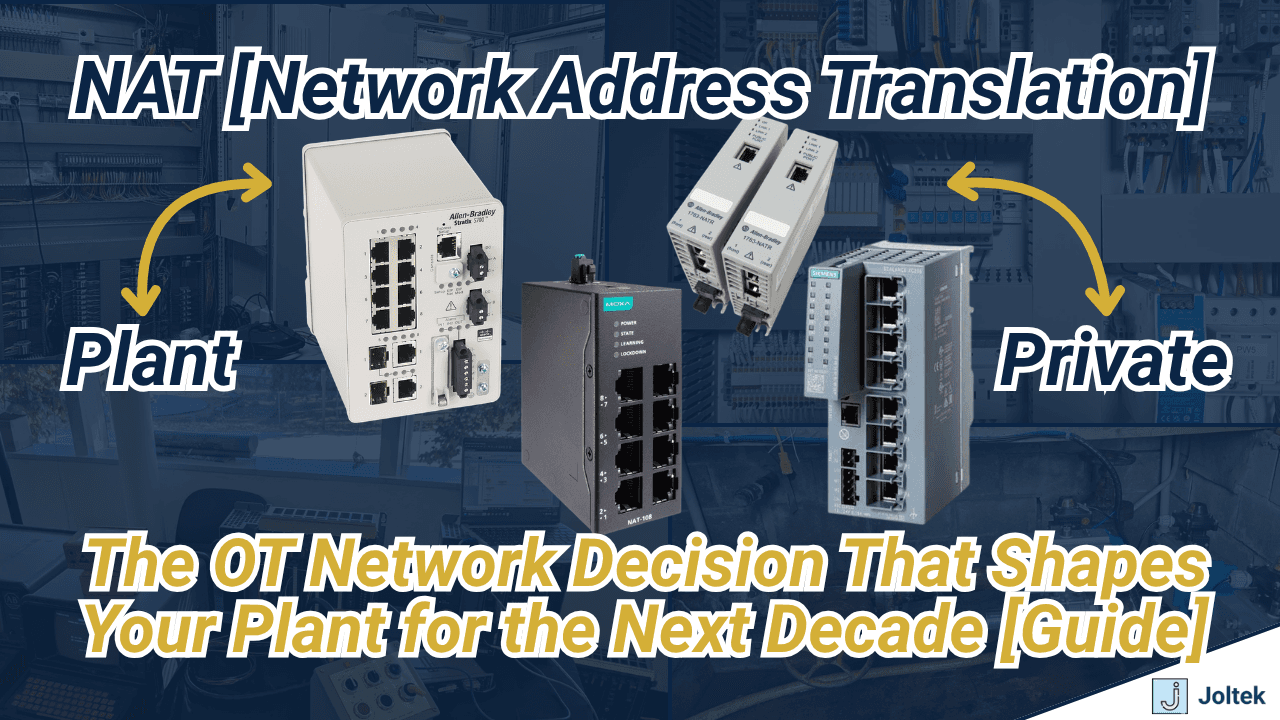
The NAT device has one side on the equipment and one on the plant, and it translates one to one. The PLC at 192.168.1.10 inside the cabinet is published to the plant as 10.10.10.100. The HMI at 192.168.1.11 becomes 10.10.10.110. Nothing inside the panel changes and the builder's scheme survives. The 1783-NATR does this, higher tier Stratix switches can do it with the feature enabled, and vendors including Moxa build industrial switches with the capability.
You only translate what you explicitly map, so anything without an entry does not exist from the plant side. Drives at 192.168.1.12 through .20 with no entry are simply unreachable from the plant network.
The laptop problem
An engineer at a desk on the plant network can reach the PLC through RSLinx and see drive status through the I/O tree. They cannot open that drive in Connected Components Workbench, because there is no translation for it. Standing at the panel, they need an address in the private range, and an IT provisioned laptop often will not let them change it.
The workaround is that the NAT device usually holds an address on both networks. Go online with it, add a temporary entry for the drive, take your parameter backup or do your troubleshooting, then remove the entry. The workaround works, but only for someone who knows the translation table exists.
What NAT costs to own
The hardware runs from roughly $1,000 to several thousand dollars per device. On top of that you pay engineering hours to build and document every entry, and you maintain two address schemes for every machine for as long as it runs. The spreadsheet of equipment addresses against plant addresses becomes load bearing.
Every contractor has to be told what they are walking into. Someone opens the panel, reads the address scrolling on the CompactLogix, tries to ping it from the plant side and gets nothing. Once a plant starts down the NAT path it tends to spread into every machine that follows, so this is a standard you are setting, not a purchase you are making.
How to make the call
Neither route is wrong. NAT lets equipment arrive with whatever addresses it came with and gives you a form of segmentation. Readdressing gives you one clean scheme, provided you are careful about what lands on the plant network and who you pay to do the work. Choose on purpose, write the choice down, and make sure the next person who opens that panel knows which one you picked.
Timestamps
| 0:00 | The plant with a NAT device in every machine |
| 3:10 | What network address translation actually is |
| 4:10 | Why machine builders hand you an addressing problem |
| 6:40 | Option one: readdress every device in the panel |
| 9:00 | What readdressing really costs in licences and hours |
| 10:00 | The warranty exposure nobody budgets for |
| 10:40 | Which devices actually belong on the plant network |
| 12:22 | Option two: how NAT sits between the panel and the plant |
| 14:30 | The laptop problem: plant side versus equipment side |
| 16:45 | When an IT provisioned laptop cannot reach the drive |
| 17:25 | The temporary translation entry workaround |
| 18:30 | What NAT costs to buy and to keep running |
| 20:50 | How to make the call |
Referenced at Joltek
Transcript
The plant with a NAT device in every machine
How's it going, everyone? Vlad here, and welcome to the next technical video on this channel. Very recently, I worked with a new client, the factory of which was very interesting for a variety of reasons, but one of which was the use of network address translation or the NAT protocol. So for those who are not familiar, it is common on the OT networking side to receive equipment with a variety of different IP addresses based on the machine builder specifications.
And of course, NAT addresses some of those challenges, but ultimately it also creates some, I would say, unique or different challenges than one would expect when you're trying to especially set up anything on the messaging side, whether that's between two control systems, whether that's between the control systems and the SCADA system.
And so this specific customer had the Rockwell, and I don't know how well you can see the label, but it's the 1783 NAT-R module. And they had a ton of them, almost in every single machine. So I wanted to make a video and explain, number one, what is the use case of NAT devices? What problem do they actually solve?
And my experience has been a lot on the Stratix side. If we take a look at the switch, this is not a model that is equipped, and basically it's probably software activated, but this specific model does not have the capability of doing network address translation. There are more advanced, ultimately more expensive models that can do that.
I have also recently received a shipment from Moxa, and for those who are unfamiliar, Moxa of course creates industrial hardware and they have everything from IPCs to gateways to switches and a lot of networking hardware as well. So here we have the ruggedized switch that they sent me. As you can see, it is still plugged up, so I have not had the chance to power it up yet.
But I do know, having talked to them, it has NAT capability. So we'll be talking about what NAT actually is, what it solves. We're going to go to the whiteboard and have that conversation, but ultimately also understand if you're at the, where you're either looking to solve some of those challenges, you're talking about architectures, what, sort of gotchas or problems you may run into by implementing NAT in some of the architectures that we will be discussing today.
Hi, my name is Vladimir Romanov. I am the founder of Joltek as well as SolisPLC. With a background in electrical engineering and an MBA, and over a decade of experience leading projects in manufacturing and industrial automation, I help engineers, managers, and manufacturers make smarter technical and business decisions, modernize their operations, and build stronger careers.
If you're serious about manufacturing, automation, and staying ahead in the industry, subscribe and join the community
What network address translation actually is
Let's start with the fundamentals What is NAT or network address translation Well it is something that you will find not only in the industrial setting it allows you to talk from the internet service provider into the private network of your home by having a single external IP address And not to get into a lot of those details on how the home network functions in the industrial setting the function is very similar whereas you have the NAT device right And I have shown you a couple of examples just a moment ago where you can either have a standalone just dedicated NAT device or you can have a switch with multiple other capabilities. The NAT portion is going to provide one single feature which is translating the IP addresses on the packet side from one side to the other
Why machine builders hand you an addressing problem
And why do we need this right I think it's important to answer and understand why devices are put in place more so as we get into the functionality So typically what happens in the industrial environments is let's assume that you have a facility that has existing infrastructure right And those are going to be let's say multiple lines of production. And again, of course, they can be laid out in a very different fashion But in this case, let's assume the product comes in and it goes through different equipment. It could be process, it could be discrete. but ultimately, you have electrical panels along your manufacturing lines, which contain some control systems that can have inputs, they can have outputs, it could be driving VFDs. But every panel has a control system that is on some type of a network. Of course, there's going to be a whole conversation around what kind of network this is going to be deployed on.
There's going to be some old networks we talked about on this channel, like DeviceNet and ControlNet. But everything nowadays is ultimately migrating to Ethernet-based networks, whether that's EtherNet/IP on the Rockwell side or PROFINET on the Siemens side. There's also EtherCAT, gonna be a little less popular. But if you're dealing with CODESYS, if you're working with Beckhoff or perhaps with B&R, is relevant. But ultimately, to come back the original point, each one of these control systems going to be on the plant network. And of course, the IP addresses be different.
And we're not here debate choices that have been made by the plant, but imagine moment that there's going to be PLCs, for simplicity's at each one of these panels. And let's assume that it's 10.10.10., say, 1 in this The next one is going to be 10.10.10.2, so on and forth.
This is a very simple example. Obviously, see this in the real world, but it will be something similar. that is, again, not get into VLANs, but let's assume that this is VLAN this is this is three. There is kind of a scheme for the plant to have addresses.
Now, what usually happens is for modernization purposes or maybe to expand production, we're going to add another the end We're going to have a control system that will be inside of this machine. And typically, what you will find is that the machine builder that created this specific piece of equipment was not aware of the rest of the plant. So basically, the plant has two separate options.
Option one: readdress every device in the panel
Number one is readdress IPs of all new devices, which generally means connecting to the PLC, connecting to the HMI, connecting to every single VFD and servo drive that has a different IP address. In our example, we only have PLCs, but it can get quite complex. So it's important to understand that your specific panel may have a variety of different devices that need to go on the network.
So option number one is readdress all the IP devices that are within that panel to match the scheme of the plant, which with the purpose, of course, maybe this panel needs to communicate with this panel. Maybe it needs to create a handshake. Maybe we need to talk to the SCADA system, which is going to collect data out of the entire line and thus display some of the that you typically discuss in management meetings.
The second option, of course, is put a NAT device in front of that panel. Imagine for a moment that this device is sitting inside of that panel where the NAT device is going to be the one that creates the translation. So you don't need to readdress all of the devices inside of this cabinet. All you need to do is configure the NAT device and then one of the cables of the NAT device is going to go into the plant switch and thus creating the illusion. I put that a little bit in air quotes because it is changing the IP addresses dynamically on the packet side that are going to be sent from the private side into the plant. And therefore, we have the NAT device purchase. So purchase plus config. So obviously, we do have two options with distinct repercussions for the plant.
Let's talk about that for just a moment.
What readdressing really costs in licences and hours
if it were up to me, I would go and readdress every single device to the plant side, but it's not quite that simple. There are challenges with readdressing. So number one, what does it take to readdress? Well, it takes, as I've mentioned, connectivity to the PLC, connectivity to the HMI, connectivity to the VFDs, to the servo drives.
Therefore, it takes someone on the technical side to go in and make all of those changes, but also validate that everything is communicating. And so in the world of Rockwell at least, that means that you have a license for Studio 5000, or of course RSLogix 5000 or 500. It also means that you probably have a license for FactoryTalk View ME.
And a lot of the especially small to medium-sized plants don't have someone that can go and perform that work. So once the machine builder left the equipment in place, it becomes fairly costly to come and have someone readdress all of the devices, but also make sure that everything is talking as expected.
The warranty exposure nobody budgets for
Number two, there is always a question of warranty. Warranty For those of you that haven't dealt on the financials or P&L side, typically comes from the manufacturer and their equipment, but is void if you start making changes. So if you come in and bring somebody to make those changes or do it in-house, there are going to be questions as to what has been changed and modified on the equipment if the machine builder or OEM of that specific, process or technology is no longer able to access the devices based on the log of their specific addressable IP addresses.
Which devices actually belong on the plant network
The next challenge is, of course, how do we then segment the hardware from the rest of the plant? So when we talk about control panels, as I mentioned, you typically have your PLC, you have your HMI, and those are going to be relatively easy to put on the plant network. They will more commonly than not talk between each other, but they will not generate a ton of traffic on the plant floor if we're not talking of course about some SCADA or data applications.
That's going to be a little bit of an aside, but it's common to put these on the plant network. Now, when it comes to VFDs as well as servo drive, applications. Those are going to be a bit of a gray area. So depending on the panel, you may have dozens, if not hundreds of VFDs and servo drives. Do you want them to start publishing all of that traffic on the network?
Well, not necessarily, and this is one of the challenges with readdressing. If you put everything on the plant network, you can run into problems. Of course, we haven't talked about some of the even more traffic-intensive devices, and those are going to be your vision systems. Vision systems will generally, and again, it depends on the configuration, publish images to, let's say, a server, and those payloads are going to be quite heavy.
We're talking about safety systems. So safety systems will poll the network devices that they're attached to and make sure that the system is running correctly. So all of this goes back to the complexity of OT networking, and ultimately, if you go down this path, you better be sure that you're doing and you know what you are dealing with
Option two: how NAT sits between the panel and the plant
So the second option is NAT. And so NAT, you get to pick and choose what you will translate, but ultimately that will impact how your system functions. So let's talk about the plant side, so plant, and then we have your equipment. Equipment/control panel, and this is where the NAT is going to basically sit on the hardware side.
Like I said, the devices typically have separate ports, one of which is going to go to the equipment, one of which is going to go to the plant. The detail of the fact that you have on the switch multiple ports that can connect to the, equipment side, again, it's just a unmanaged switch at that point.
You can split this up by however you want, but you will need to build the one-to-one relationship from the plant IP side. So again, let's use that scheme of 10.10.10, let's say .100, and this is going to be your PLC, and let's say that it's 192.168.1.10. From the plant standpoint, the PLC is located at this IP address.
From when you are on the equipment, it is located at this IP address. Similarly, next-- so this is the PLC. Next, you have the HMI, right? And so as the plant maybe systems architect, you assign this 10.10.10.110, and your HMI on the private side is 192.168.1.11, right? And so this is where things start to get a little bit ambiguous.
Once you get to the servo drives, as I've mentioned, and the VFDs, they may have IP addresses, right? So 168.1., let's say like 12, all the way to .20. They have private IP addresses assigned by the machine builder and whoever created this panel. But you don't always want to create the bridge to talk on to those VFDs on the plant side.
So you will not create a network address translation, access control list or ACL or entry that will make that bridge.
The laptop problem: plant side versus equipment side
What does that then create? If you're sitting on the plant side, so imagine for a moment that you are an engineer at the office, right? So you're sitting at the office, and you're plugged in somewhere at the plant site.
This could be, again, it could be a Stratix switch, it could be a Cisco switch, it could be Palo Alto Networks, it could be HP. That doesn't necessarily matter, but you're plugged in into the plant. And it could also be wirelessly. I'm just making the illustration that you are on a laptop where you're running, let's say, Studio five thousand if you're going to run RSLinx, you need to be able to connect with the PLC.
You need to be able to run other software to connect to the HMI, and therefore, the IP addresses that your laptop is going to see are going to be over here. The plant side. If you're going to bring your laptop and physically connect with an ethernet cable. Imagine for a moment that you brought your laptop to the plant floor, and now you're plugged into the equipment.
It could be a grace port on the side. It could be plugging in directly to an unmanaged switch that is between all of these devices. Now, your RSLinx needs to be configured completely differently, and you're going to be looking at these IP addresses on the equipment side. And this is where you start running into some complications.
One example would be if you're connected to the PLC from the plant side, you're not able to see the status of your VFDs unless you have that plugged into the PLC and the data funneled into the PLC. Typically, in Studio 5000 or RSLogix 5000, you will see that inside of your I/O tree and, of course, tags, and you can troubleshoot because these IP addresses are all talking between themselves But you will not be able to, for example, use, let's say, CCW or Connected Components Workbench to access this VFD through the NAT because there is no entry.
But if you were to plug in on the equipment side, you would plug in and then go to the IP address, which is 192.168.1.12, you would be able to then connect via Connected Components Workbench.
When an IT provisioned laptop cannot reach the drive
This is where the second challenge, and there's a lot of talk about IT and OT integration, but ultimately, if you have a laptop that's been given to you by the plant or if you're the IT person that's provisioning some of these laptops, the challenge that you can run into is you cannot change the card that is inside of your laptop.
You cannot change and assign it a different IP address. So when you show up with a plant IT logged on laptop to connect on the equipment side, you're unable to access these IP addresses. How do we solve this challenge? This is, again, some of the gray areas that you will see in general OT networking.
The temporary translation entry workaround
Well, this device, the NAT device that's performing this operation, usually has an IP address assigned to it on both networks. So as an example, let's imagine it's 10.10.10.99, and on this side, let's assume it's .9. You could, in theory, if you take this laptop, you could go online with this device at this IP address, and you could add an entry that would allow you to communicate with this VFD.
And once you've done troubleshooting, maybe you're doing a backup of the parameters for replacement, you could then remove that connection and basically continue on. Of course, the VFD will create some traffic on the plant side, and there's a lot to be discussed where this traffic actually goes. Depending on where this connects on the plant-managed switches and of course routers, this could be mitigated, but it is something to obviously take into consideration when you're deploying these architectures
What NAT costs to buy and to keep running
The last question that I want to discuss is, of course, the cost of implementing something like this. So we've talked about the action of readdressing the devices in a new piece of equipment, and of course, this could be plant-wide, this could be a redo of the entire OT network. But ultimately, you're spending engineering time to go and change the IP addresses in almost all instances one by one, because in the industrial space, it is difficult to just deploy across the entire facility.
In this case, you're spending money for the NAT device, and these could be $1,000 up to multiple grand if they are proprietary or high-powered, I would say, switches, which again, they may have some other features that they bring, but ultimately you need to budget for the actual hardware. Number two, you're still paying for engineering hours to create all of these access points.
You're going to make sure that you maintain different IP addresses by whomever that may be, if that's the control systems guy, if that's the IT department. You're going to have all sorts of different networks that are basically islands inside of your facility that you need to be aware of. And typically, there is a spreadsheet that you will find with specific equipment IP addresses versus plant IP addresses.
I can tell you personally that once you start implementing this, the chances of it going into every single piece of equipment afterwards is fairly substantial. You will be paying for the devices, you will be paying for making sure that this architecture continues, but you will also have a, like I've mentioned, a learning curve.
When you bring in contractors, when you're bringing in outside help, if you don't explain to them very clearly what is happening in these architectures, it could be very treacherous, I would say, in a way. If you walk up to a panel, you open the PLC door, you see the IP address scrolling by, and I'm looking down at the CompactLogix that I have sitting on my desk.
But you see the IP address scrolling by, you try to ping that device with a plant level NAT device and laptop, and you're simply unable to go through that bridge because once again, the IP address is going to be different on the plant side than on the private side.
How to make the call
So again, there's obviously trade-offs in going either route.
This makes it easier to just put in the machine with whatever IP addresses it came, and then have a sort of segmentation type of a scheme. The other method where you're going to put all of the devices on the plant network, of course, you need to be careful with what's actually there and whom you're paying to do that type of work.
It is not easy. There's always challenges, and therefore, make your choices carefully
Keep listening
Wireless PLC Access: Connecting to a PLC with a Travel Router, and When Not To
Using an inexpensive TP-Link travel router to connect wirelessly to a PLC for commissioning and troubleshooting when the plant network is not ready, the size, price, and range trade offs, and a live CompactLogix demo. It also covers the OT security and governance risk of unmanaged remote access and default credentials, and the disciplined alternative of a jump box and a proper OT and IT architecture.
Industrial Automation Q&A: Rockwell QC Defects, TIA Portal Versions, & IT/OT Skills
Industrial automation Q&A on the skills shift every controls team is feeling, plus a cautionary Rockwell quality story, a TIA Portal version trap, and honest career advice. This episode answers five of the most upvoted questions from the r/PLC community.
HMI SCADA Platform to Learn in 2026, Plus a Flooded PLC That Now Plays Street Fighter
Which HMI and SCADA platform to learn in 2026 matters less than the back end behind it and the project you apply it to. Plus a flooded Siemens PLC running Street Fighter, device level ring on a Stratix, an ice cream wash down panel, a nervous new technician, and the ladder versus structured text question again.